
You finish a project, open a blank Word document, and try to remember what last month’s invoice looked like so this one matches. Twenty minutes later you’re fixing a tax calculation by hand and hoping you didn’t reuse an invoice number. This is the exact process that makes people put off invoicing for days, which is also exactly why so many small business and freelance invoices go out late.
What Is an Invoice, and Why It Matters
An invoice is a formal request for payment. You send it after finishing work but before you get paid, and it lists what you did, what it costs, and when payment is due. It’s not just a formality. It’s the document that creates an official record of money owed, which matters for your taxes, your accounting, and any dispute that comes up later.
A properly made invoice protects you in a real, practical way. If a client disputes a charge months later, a clear, numbered, dated invoice is your evidence of what was agreed and delivered. A vague email saying “here’s what you owe me” doesn’t hold the same weight.

Invoice vs. Receipt vs. Bill: Getting the Terms Right
People use these three words interchangeably, but they mean different things in accounting, and mixing them up can cause real confusion with clients or during a tax review.
| Document | When It’s Issued | What It Confirms |
|---|---|---|
| Invoice | Before payment is received | What is owed, by when, and how to pay |
| Receipt | After payment is confirmed | That payment has actually been received |
| Bill | Used more loosely, often for one-off or informal charges | An amount owed, without the formal structure of an invoice |
Table: the practical difference between an invoice, a receipt, and a bill.
In practice, once a client pays, you can mark the same invoice as PAID and keep the same reference number rather than creating a whole new document. That keeps one traceable record instead of two disconnected ones, and it’s one of the reasons a good online invoice receipt generator workflow saves real time.
What Every Professional Invoice Needs
A total at the bottom of a page isn’t an invoice. There’s a standard set of information every professional invoice should include, regardless of your industry or country.
| Field | Why It’s Required |
|---|---|
| Business name and contact details | Identifies who is requesting payment |
| Client name and address | Identifies who owes the payment |
| Unique invoice number | Creates a traceable, auditable record |
| Invoice date and due date | Sets a clear payment timeline |
| Itemised line items | Shows exactly what was delivered and at what price |
| Tax rate and amount | Meets tax authority requirements and keeps records clean |
| Total amount due | The final figure the client needs to pay |
| Payment method or details | Tells the client exactly how to actually pay you |
Table: the standard fields every professional invoice should include.
This is consistent with general invoicing guidance published by tax authorities, including the UK’s HMRC guidance on what invoices must include. Even outside the UK, most tax authorities expect the same core information.
How to Make an Online Invoice for Free: Step by Step
Here’s the actual process, using a free browser-based tool instead of a spreadsheet or design software.
| Step | What to Do |
|---|---|
| 1. Add your business details | Enter your name or business name, address, email, and phone number |
| 2. Add your client’s details | Enter the client’s name, company, address, and contact information |
| 3. Add line items | List each product or service with quantity and rate, the total calculates automatically |
| 4. Set your tax rate and currency | Choose GST, VAT, or a custom tax rate, and pick your currency |
| 5. Style the invoice | Pick a template, upload your logo, and choose a colour theme if you want a branded look |
| 6. Set payment terms | Add your due date and any notes, like Net 30 or Due on Receipt |
| 7. Download as PDF | Export a print-ready PDF and send it directly to your client |
Table: the seven-step process for making a free online invoice.
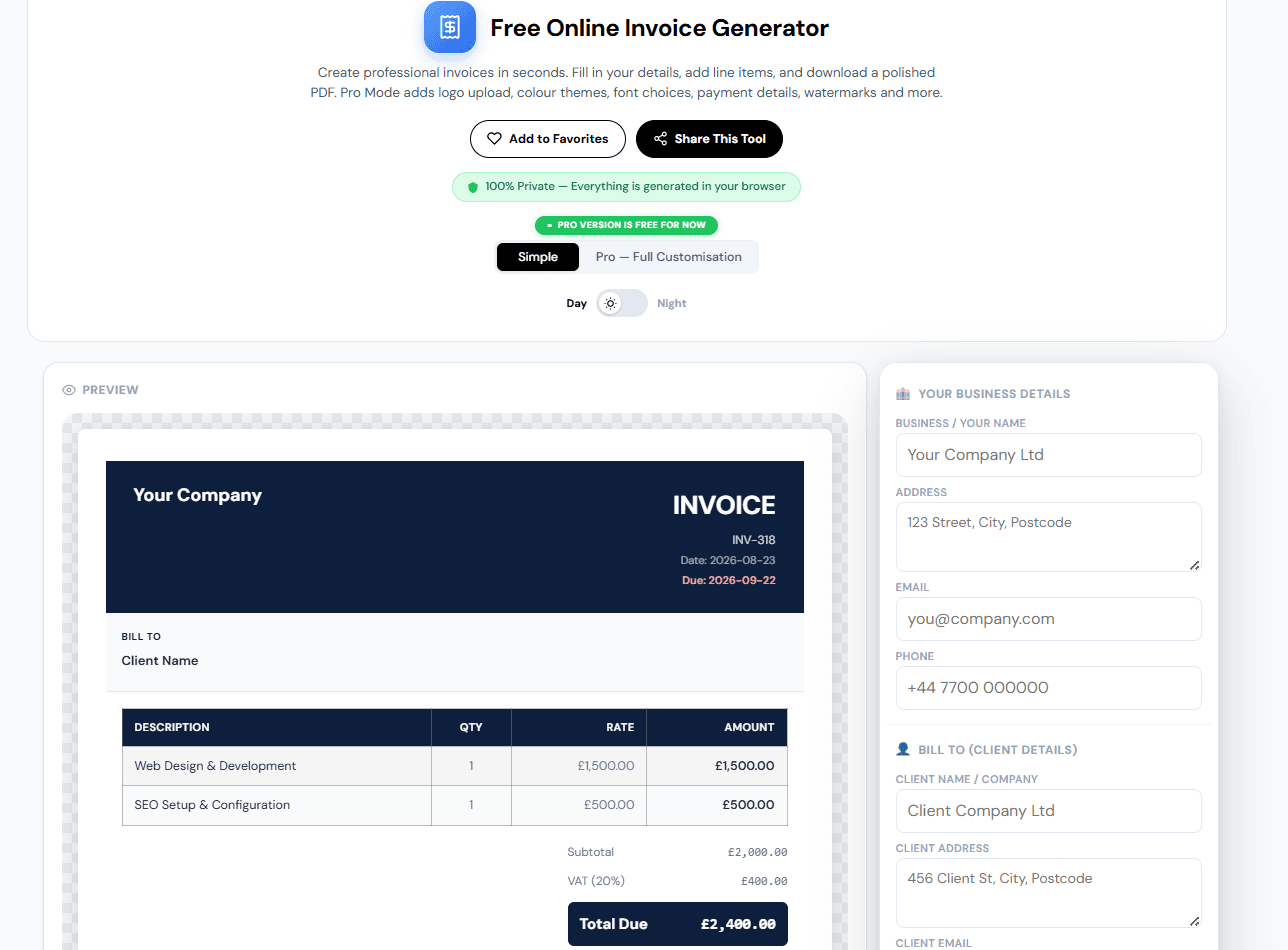
Every step above maps directly to a field in our own free online invoice generator. There’s no software to install and no account to create. You fill in your details on the left, watch the invoice build itself on the right, and download the finished PDF when you’re done.

GST, VAT and Tax: Getting the Numbers Right
Applying the wrong tax rate on an invoice is one of the most common and most costly invoicing mistakes, since it can create real compliance problems down the line, not just an awkward correction email.
| Region | Typical Tax | Standard Rate |
|---|---|---|
| Australia | GST | 10% |
| India | GST (multi-tier) | 5% to 28% depending on category |
| Canada | GST plus provincial HST/PST | 5% federal, varies by province |
| United Kingdom | VAT | 20% standard, 5% reduced rate |
| EU (Germany, France) | VAT | 19% to 20% standard, lower on food and books |
Table: typical GST and VAT rates by region. Always confirm the current rate for your specific situation, since these can change.
A good online invoice generator GST setup should let you enter any percentage and label it correctly, whether that’s GST, VAT, Sales Tax, or a custom label, since the wording that appears on the document matters just as much as the number itself for compliance in your specific country.
Choosing the Right Invoice Numbering System
Invoice numbers aren’t just bookkeeping housekeeping. Gaps or repeated numbers are one of the first things that draw attention during a tax audit, so getting this right from the start matters.
| System | Example | Best For |
|---|---|---|
| Simple sequential | INV-001, INV-002, INV-003 | Freelancers and small businesses with a steady, low volume of invoices |
| Date-based | 2026-001, 2026-002 | Businesses that want the year visible at a glance in the number itself |
| Client-based | ACME-001, ACME-002 | Agencies or contractors managing multiple ongoing clients |
Table: common invoice numbering systems, and which situation each one fits best.
Whichever system you pick, the rule that actually matters is consistency. Never skip a number, and never reuse one, even if an invoice gets cancelled. A cancelled invoice should still keep its number and simply be marked VOID.
Common Invoice Mistakes That Delay Payment
| Mistake | Fix |
|---|---|
| No clear due date | Always state a specific date, not just “payable on receipt” left ambiguous |
| Missing payment details | Include your bank details, PayPal, or Wise email directly on the invoice |
| Inconsistent formatting across invoices | Use the same template and layout every time so clients recognise it instantly |
| Sending invoices weeks after work is done | Invoice as soon as the work is finished, not at the end of the month |
| No follow-up process for late payments | Set a specific day after the due date to send a polite reminder |
Table: the most common invoicing mistakes, and the direct fix for each one.
Why Late Payments Happen, and How to Avoid Being One of Them
Late payments aren’t rare. According to the 2025 Intuit QuickBooks Small Business Late Payments Report, based on a survey of more than 2,000 US small businesses, 56% of small businesses are currently owed money from unpaid invoices, with an average of $17,500 outstanding per business. The same report found that 47% had invoices overdue by more than 30 days.
A separate analysis of over 100,000 independent contractors by invoicing platform Bonsai found that close to a third of freelance invoices are paid at least one day late, though the large majority of those are settled within two weeks of the due date. The pattern that shows up across most of this research is simple. Unclear terms and inconsistent invoices correlate with slower payment, while clear due dates, itemised charges, and easy payment instructions correlate with faster payment.
None of this is complicated to fix. It comes down to sending a complete, professional, consistent invoice every time, and sending it promptly rather than letting it sit for weeks.
Free Invoice Generator vs. Excel vs. Paid Software
| Method | Cost | Time Per Invoice | Consistency |
|---|---|---|---|
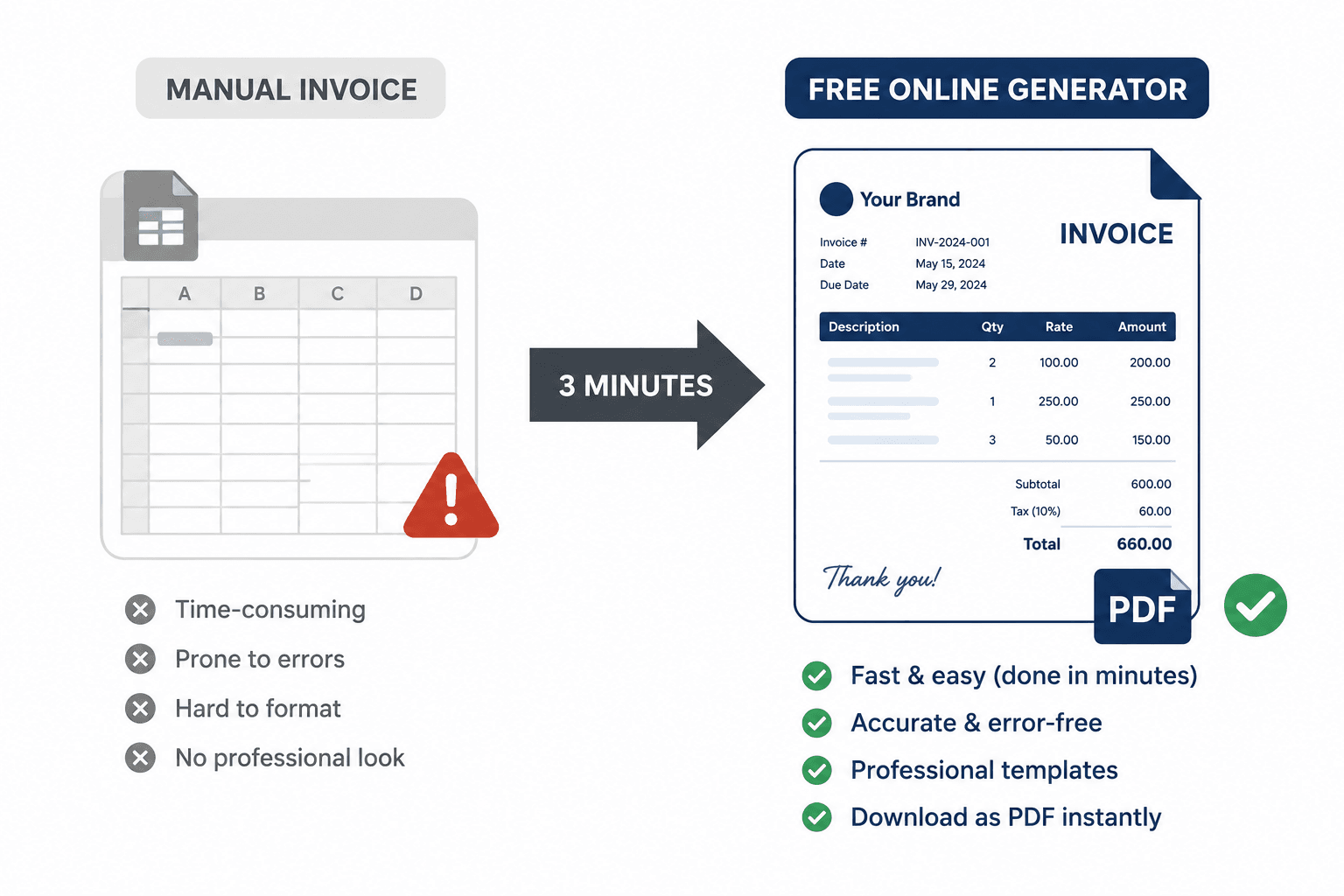
| Excel or Word template | Free | 15 to 30 minutes, error-prone | Low, formatting drifts over time |
| Free online invoice generator | Free | 3 to 5 minutes | High, template stays consistent automatically |
| Paid invoicing software | $10 to $50+ per month | 2 to 4 minutes | High, plus extras like recurring billing and client portals |
Table: how a free invoice generator compares to manual spreadsheets and paid software.
Paid software earns its cost once you need recurring billing, multiple team members, or built-in payment collection. For most freelancers and small businesses sending straightforward, one-off invoices, a free online invoice generator with GST and VAT support does the same core job without the monthly subscription.
Advanced Tips for Getting Paid Faster
- Invoice the same day you finish the work. The longer you wait, the further your invoice slips down a client’s priority list.
- Put payment details directly on the invoice. Don’t make a client dig through old emails to find your bank details.
- State your due date as an actual date, not a vague term. “Due by March 15” gets acted on faster than “Due on receipt.”
- Keep a consistent invoice numbering system from day one. Switching systems halfway through the year creates gaps that look messy in an audit.
- Mark paid invoices as PAID and keep them. A clean paper trail protects you if a dispute ever comes up months later.
Try the Free Online Invoice Generator
Everything covered in this guide is built directly into our free online invoice generator. It includes automatic tax calculation, sequential invoice numbering, 24+ currencies, GST and VAT support, and a choice of Classic, Modern, or Bold templates.
[Add a screenshot of a completed sample invoice here, showing the logo, line items, and total.]
- No signup and no account required
- Everything is generated in your browser, nothing is uploaded to a server
- Logo upload, colour themes, and font choices in Pro Mode, currently free
- Download as a clean, print-ready PDF with no watermark
- Save your design and reopen it exactly where you left off
Frequently Asked Questions
How do I make an online invoice for free?
Use a browser-based invoice generator. Enter your business details, your client’s details, and your line items, then set your tax rate and download the finished invoice as a PDF. No design software or account is required.
What should a professional invoice include?
Your business name and contact details, your client’s name and address, a unique invoice number, the invoice date and due date, an itemised list of products or services, the tax rate and amount, the total due, and your payment details.
Can I add GST or VAT to a free online invoice?
Yes. A good invoice generator lets you enter any tax rate and label it correctly, whether that’s GST, VAT, Sales Tax, or a custom label, and calculates the subtotal, tax, and total automatically.
What’s the difference between an invoice and a receipt?
An invoice is sent before payment, requesting money owed. A receipt is issued after payment is received, confirming the transaction is complete. Marking an invoice as PAID and keeping the same reference number is a simple way to handle both with one document.
How should I number my invoices?
Use a consistent system, either simple sequential numbers like INV-001, or date-based numbers like 2026-001. Never skip or reuse a number, even for a cancelled invoice, mark it VOID instead.
Is a free online invoice generator safe to use for client information?
Look for one that processes everything in your browser rather than uploading your data to a server. That way your business and client details never leave your device.
Conclusion: Key Takeaways
- An invoice is a formal payment request, not just a total on a page, and it needs specific fields to hold up for tax and accounting purposes.
- Late payments are common. 56% of US small businesses are currently owed money, according to QuickBooks’ 2025 report, and clear, consistent invoicing correlates with faster payment.
- GST and VAT rates vary by region, and applying the correct rate with the correct label matters as much as the number itself.
- A free online invoice generator does the same core job as paid software for most freelancers and small businesses, without the monthly cost.
- You can create your first invoice in a few minutes with the free online invoice generator, no signup, no software, no watermark.
Try Other Relevant Tools:
Read Also:
- 5 Free AI Certification Courses Worth Your Time in 2026 (Plus How to Show It Off)
- Free CV & Resume Review Online: Get Your Instant Score Out of 100 (No Signup)
- What Is SWOT Analysis? Free Online SWOT Analysis Tool & Template
- How to Write a Personal SWOT Analysis for Students (With Practical Examples and Free Tool)
- How to Increase Efficiency at Work: The Difference Between Being Busy and Being Productive