
Stop typing citations
by hand. Click once.
CiteGrab reads the page you're already on and builds a complete, correctly formatted citation in seconds — APA, MLA, Harvard, Chicago, IEEE, OSCOLA, or Vancouver.
 Add to Chrome — It's Free
 Add to Firefox — It's Free
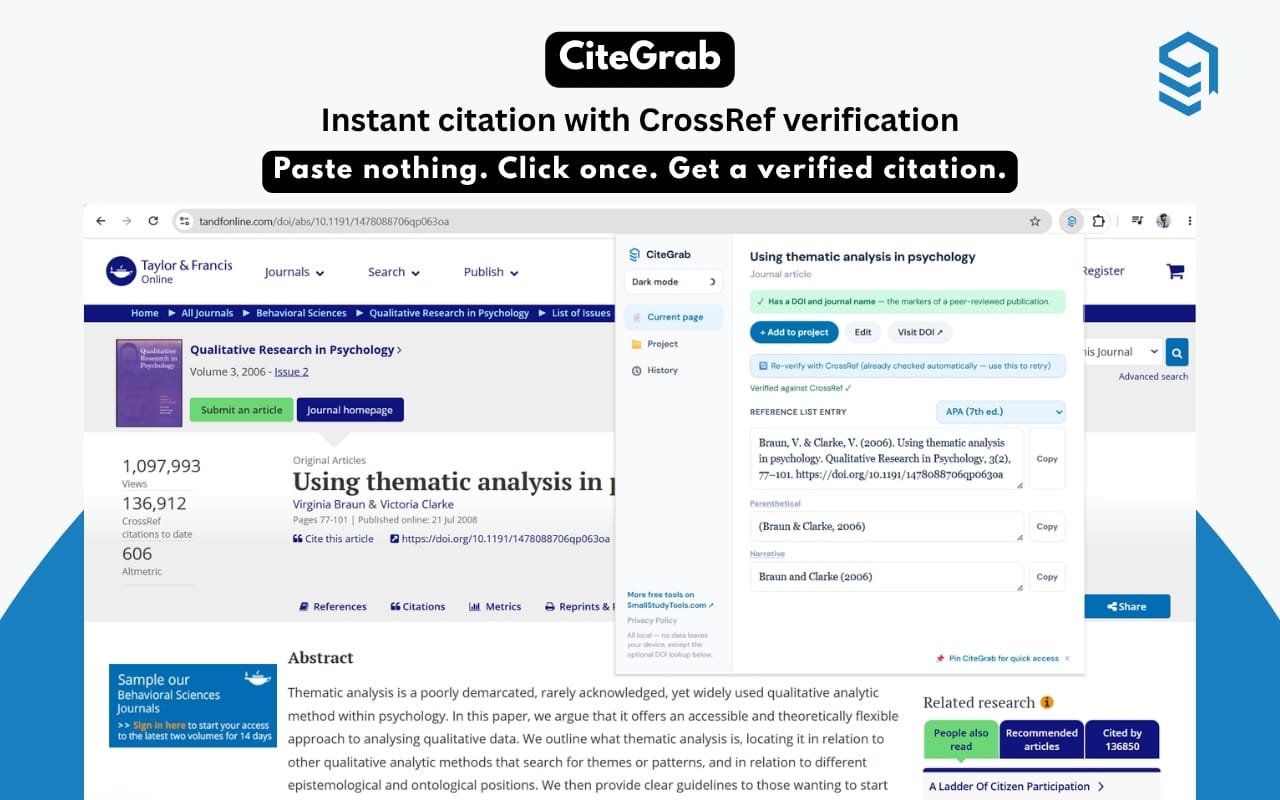
Built differently, on purpose
Every citation tool promises "one click." Here's what actually makes CiteGrab different.
Verified, not guessed
When a page has a DOI, CiteGrab automatically cross-checks it against CrossRef's public registry — catching cases where a publisher's own page metadata is wrong, not just when it's missing.
Nothing hidden
No account, no sign-up, no ads. The only network request CiteGrab ever makes is the optional DOI lookup — disclosed plainly, nothing else.
Real style rules
Seven citation styles, each following its actual formatting rules — not one generic template stretched across seven labels.
Everything a citation needs, nothing it doesn't
Dual output, every time
Full reference entry and properly formatted in-text citation, generated together — copy each separately.
Built-in quality checks
Flags preprints, missing authors, and missing dates before you cite a gap by accident.
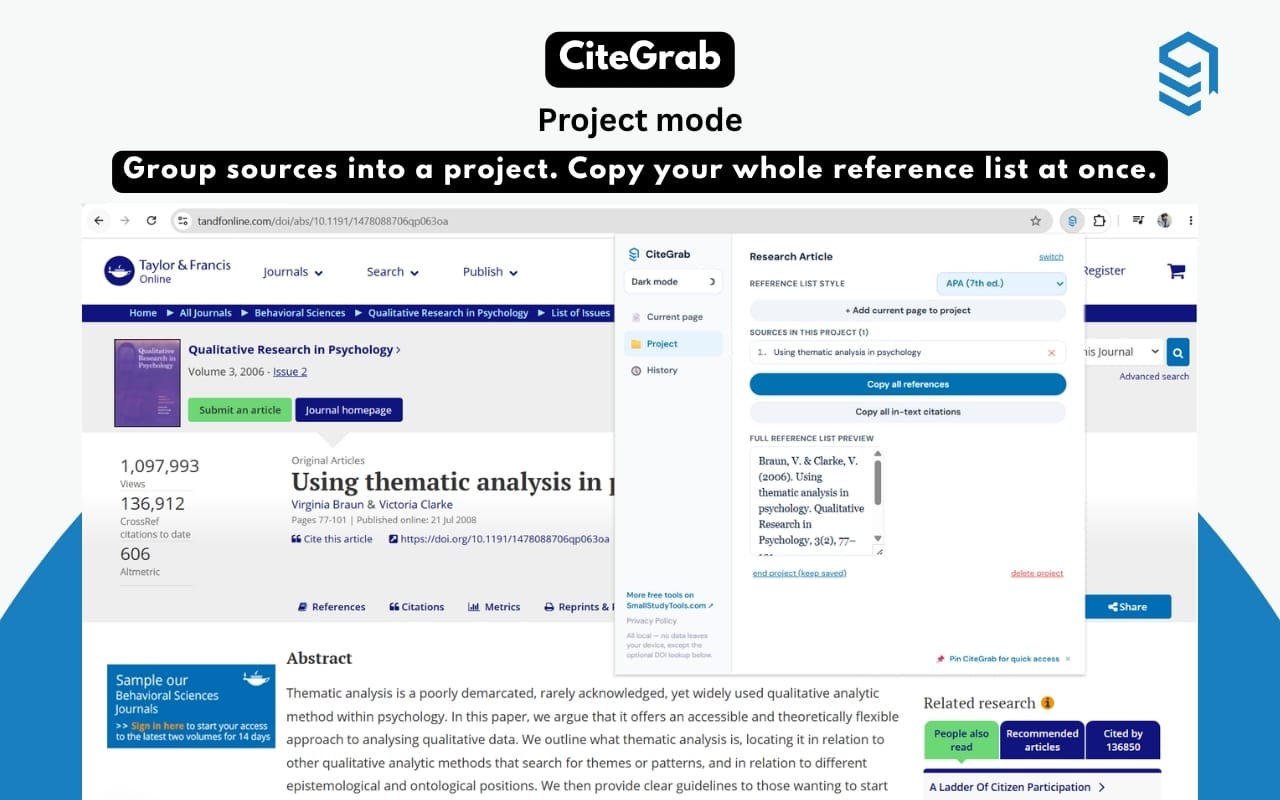
Project mode
Group sources into named projects for a dissertation or long paper. Copy the whole reference list at once.
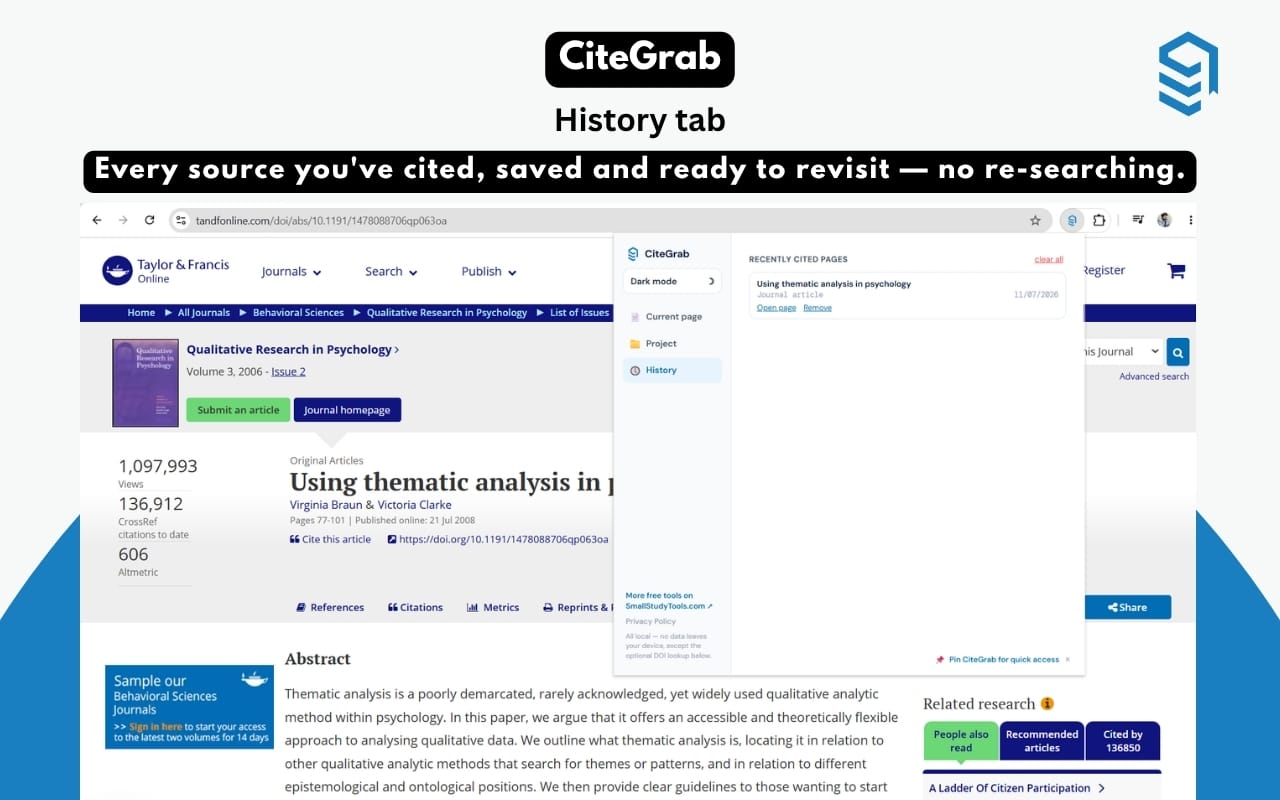
Full citation history
Every source you've cited, saved locally, ready to revisit without re-finding the page.
Dark mode
Because research happens at 2am.
Works on any source
Journal articles, book chapters, news pages, and general websites — reading what the page already publishes.
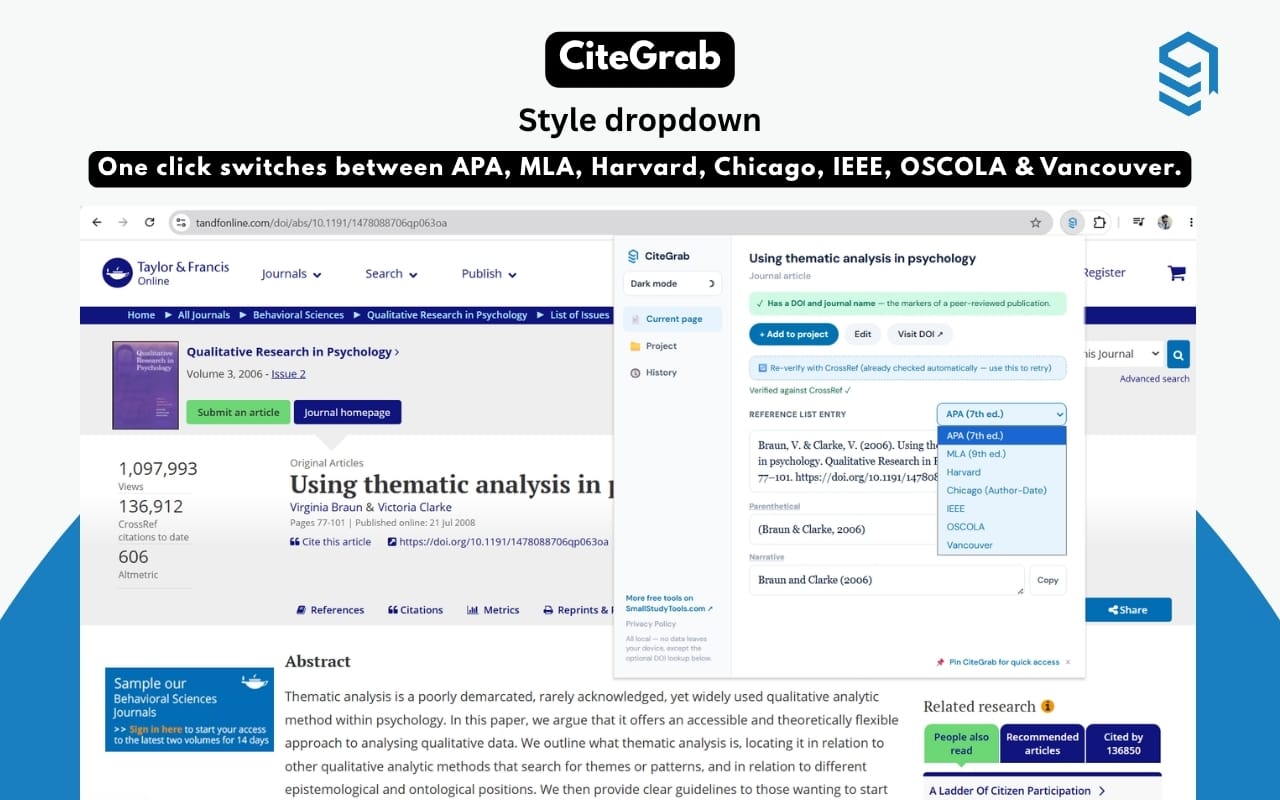
One source, seven styles, zero retyping
APA 7th edition, MLA 9th edition, Harvard, Chicago (Author-Date), IEEE, OSCOLA, and Vancouver — pick a style and every citation on screen updates immediately, correctly formatted for that style's actual rules.
Group sources into a project
Working on a dissertation with forty sources? Add each one to a named project as you go, then copy the entire reference list — or every in-text citation — in one click when you're ready to write.
Full history, saved locally
Every page you've cited is logged automatically — revisit, re-copy, or remove entries anytime. Nothing leaves your device; it's just there when you need it again.
All seven, done properly
No generic template. Each style follows its own real rules for author formatting, in-text citation, and punctuation.
Four steps. No forms, most of the time.
Open any source
Journal article, book chapter, news page, or website.
Click CiteGrab
The extension reads the page's own metadata instantly.
Citation appears
Reference entry and in-text citation, in your chosen style.
Copy and paste
Straight into your paper. That's the whole workflow.
Questions people actually ask
Yes, completely — no account, no trial period, no premium tier. Every feature described here is included at no cost.
Mostly. Reading page metadata and generating citations happens entirely offline. The one exception is DOI verification against CrossRef, which needs a connection — if you're offline, CiteGrab still generates a citation from the page's own data, just without that extra verification step.
None, in the sense of tracking or analytics. Your citation history and projects are saved locally in your browser only. The single network request CiteGrab makes — an optional DOI lookup — sends only the DOI itself to CrossRef's public registry, nothing about you.
APA 7th edition, MLA 9th edition, Harvard, Chicago (Author-Date), IEEE, OSCOLA, and Vancouver — switch between them anytime with one click.
CiteGrab still reads whatever metadata the page publishes — meta tags, structured data, or academic citation tags — and builds a citation from that. It flags missing fields like author or date instead of citing a gap silently.
Your next citation, one click away
Free forever. No account. Works the moment you install it.